Blog

  • How to Choose a Web Design Company for Your Small Business in 2026

    Choosing a web design company can feel overwhelming when every agency promises a beautiful website, better rankings, and more customers. But how do you know which provider can actually deliver what your business needs?

    For a small business in the United States, the right website can make it easier for potential customers to discover your services, understand your value, and contact you. The wrong choice can leave you with an expensive website that looks attractive but fails to generate meaningful inquiries.

    The difference often comes down to more than design. You need a team that understands your business goals, target audience, website functionality, search engine optimization, and the customer journey.

    In this guide, you’ll learn how to choose a web design company in 2026, what to look for in a portfolio, which questions to ask before signing a contract, and how to avoid common mistakes that cost small businesses time and money.

    Why Choosing the Right Web Design Company Matters

    Your website is often one of the first places potential customers visit when researching your business. They may compare your services with competitors, review your portfolio, check your contact information, and decide whether your company appears trustworthy.

    A professionally developed website can support these decisions by making information easy to find and providing clear next steps.

    However, not every website project requires the same approach. A local contractor may need service pages, customer reviews, and a quote request form. An online retailer may need product management, secure checkout, shipping configuration, and inventory integrations.

    Before contacting a web design company, identify what your website must accomplish.

    Common business goals include:

    • Generating qualified leads and quote requests.
    • Increasing phone calls and consultation bookings.
    • Selling products or services online.
    • Improving brand credibility.
    • Attracting customers through organic search.
    • Showcasing projects, case studies, or customer results.
    • Supporting existing customers with useful resources.

    When your goals are clear, you can evaluate potential providers based on their ability to meet your requirements instead of choosing solely on appearance or price.

    1. Define Your Website Goals Before Hiring an Agency

    One of the most common mistakes small businesses make is contacting developers without knowing what they need.

    You don’t need a technical specification document, but you should have a clear idea of the outcome you want.

    Identify Your Primary Conversion Goal

    A conversion is an action that matters to your business. Depending on your model, it might be a completed inquiry form, a phone call, a purchase, or a consultation booking.

    For example, a plumbing company may prioritize emergency calls and service estimates. A consulting firm may want visitors to book discovery calls. A local retailer may need directions, store hours, and product information.

    Your website structure should support those actions.

    List Essential Features

    Create two lists before requesting proposals.

    Essential features:

    • Mobile-friendly page layouts.
    • Clear service or product information.
    • Contact details and functional forms.
    • Strong calls to action.
    • Basic technical and on-page SEO.
    • Analytics and conversion tracking where appropriate.

    Optional features:

    • Advanced animations.
    • Custom customer dashboards.
    • Complex chatbot integrations.
    • Extensive personalization.
    • Specialized third-party integrations.

    Separating essential requirements from optional features makes it easier to control your budget.

    Understand Your Target Audience

    Think about your ideal customer, the problems they want to solve, and the information they need before contacting you.

    A web design company should be able to translate those insights into useful page layouts, navigation, messaging, and conversion paths.

    The goal is not simply to create a website that looks good to you. It is to create an experience that makes sense to the people you want to reach.

    2. Review the Company’s Portfolio and Relevant Experience

    A portfolio helps you understand a company’s design quality, technical capabilities, and experience with different types of projects.

    However, don’t judge an agency entirely by its most attractive screenshot.

    Look for Projects Similar to Yours

    If you run a professional services business, look for examples involving service pages, lead forms, testimonials, and consultation booking.

    If you operate an online store, examine the agency’s eCommerce work, product navigation, checkout experience, and mobile layouts.

    Relevant experience can reduce uncertainty because the provider may already understand some of the challenges your project will involve.

    Evaluate More Than Visual Design

    When reviewing a portfolio, ask these questions:

    • Is the website easy to navigate?
    • Does the mobile layout work well?
    • Are services or products explained clearly?
    • Can visitors quickly find contact information?
    • Are calls to action visible without overwhelming the page?
    • Do the pages load reasonably quickly?
    • Does the website appear consistent with the business’s brand?

    Whenever possible, visit the live websites rather than relying exclusively on screenshots.

    Ask About the Agency’s Role

    Some agencies design websites but outsource development. Others handle strategy, design, development, content, and SEO internally.

    Neither arrangement is automatically better, but you should know who will be responsible for each part of your project.

    Ask the company to explain its role in the portfolio examples it presents. This helps you distinguish work it completed from work performed by another team.

    3. Check Client Reviews and Reputation

    Client reviews can reveal how a company communicates, handles revisions, meets deadlines, and responds when problems arise.

    Look beyond the overall rating.

    What Should You Look for in Reviews?

    Pay attention to repeated comments about:

    • Communication and responsiveness.
    • Project management.
    • Delivery against agreed timelines.
    • Quality of development and testing.
    • Handling of unexpected issues.
    • Post-launch support.
    • Transparency around pricing.

    A company with a polished portfolio but repeated complaints about missed deadlines may not be the right choice for a time-sensitive project.

    Ask for References When Appropriate

    For a larger investment, consider asking for references from previous clients with similar projects.

    Useful questions include:

    • Was the project delivered within the agreed scope?
    • Were unexpected costs explained clearly?
    • Did the website work as expected after launch?
    • Was support available when issues appeared?
    • What would you do differently if you hired the company again?

    Independent reviews, live websites, and direct references can provide a more complete picture than marketing claims alone.

    4. Compare Web Design Pricing and What’s Included

    Website pricing varies according to complexity, functionality, content requirements, provider experience, and the level of ongoing support.

    A low quote is not necessarily a bargain if essential services are excluded. A high quote is not automatically better if it includes features your business does not need.

    The following ranges are general planning estimates for US small businesses, not fixed market averages or guaranteed quotes.

    Website ProjectIndicative CostSuitable For
    DIY website builder$100–$800 initiallyVery simple websites
    Basic professional website$1,000–$3,000Small businesses needing an online presence
    Custom business website$3,000–$8,000Businesses needing tailored design and functionality
    Lead-generation website$2,500–$7,500Service businesses focused on inquiries
    Small eCommerce website$3,000–$10,000+Businesses selling products online
    Advanced custom platform$10,000–$25,000+Complex workflows and integrations

    Actual costs may fall outside these ranges depending on the project scope.

    Request an Itemized Proposal

    Ask each company to specify what the price includes.

    A useful proposal should clarify:

    • Number of pages and templates.
    • Design and development responsibilities.
    • Mobile responsiveness.
    • Content writing and image sourcing.
    • SEO setup and technical configuration.
    • Contact forms and integrations.
    • Analytics implementation.
    • Revisions and approval milestones.
    • Launch support and post-launch maintenance.
    • Third-party subscription and licensing costs.

    Comparing proposals with the same requirements gives you a more reliable picture of value.

    Understand Payment Terms

    Ask when payments are due, what triggers each milestone, and what happens if the project scope changes.

    For example, a project may involve an initial deposit, a payment after design approval, and a final payment before launch. Other arrangements are possible, so review the actual contract rather than assuming a standard structure.

    Need a website tailored to your business goals? Explore Digital Web Craft’s packages to review your options and identify a suitable starting point.

    5. Make Sure the Company Understands SEO

    A visually impressive website will not automatically appear at the top of Google.

    Search visibility depends on many factors, including content relevance, competition, website accessibility, technical quality, links, and the overall usefulness of the site.

    A web design company should understand how design and development decisions affect search engine optimization.

    Essential SEO Questions to Ask

    Ask whether the proposed project includes:

    • Search-friendly page titles and meta descriptions.
    • Logical heading structures.
    • Descriptive URLs.
    • Mobile-friendly layouts.
    • Image optimization and descriptive alt text.
    • XML sitemap and robots.txt configuration where appropriate.
    • Canonical tags and indexability checks.
    • Redirect planning for redesigned websites.
    • Relevant structured data where appropriate.
    • Basic technical SEO testing.

    Not every project needs an extensive SEO campaign, but the technical foundation should support future organic growth.

    Ask About Content Strategy

    For many small businesses, service pages are more important than a large number of generic blog posts.

    A local electrician, for example, might benefit from well-developed pages describing its core services, service areas, and project experience.

    Ask how the agency will organize your pages around the information potential customers are searching for.

    Avoid providers that promise guaranteed Google rankings. No legitimate agency can guarantee a particular organic ranking for every keyword.

    6. Evaluate Website Speed, Security, and Mobile Experience

    Your website needs to work reliably across devices, not just on the designer’s computer.

    Slow pages, broken forms, confusing navigation, and technical errors can create unnecessary obstacles for visitors.

    Website Performance

    Ask how the development team plans to manage:

    • Image dimensions and compression.
    • Unnecessary scripts and plugins.
    • Font loading.
    • Caching and hosting configuration.
    • Core Web Vitals.
    • Mobile performance.
    • Third-party integrations.

    Google’s Core Web Vitals measure aspects of loading performance, responsiveness, and visual stability. They provide useful signals for evaluating user experience, but meeting performance thresholds does not guarantee higher rankings.

    Security and Maintenance

    A website may need software updates, backups, security monitoring, and periodic testing.

    Ask whether maintenance is included in the proposal or offered separately.

    For WordPress projects, clarify who will update the WordPress core, themes, and plugins, and how backups and recovery are handled.

    For eCommerce websites, also ask about checkout testing, account security, payment provider integrations, and procedures for addressing problems.

    Mobile Usability

    Check the agency’s work on a phone-sized screen.

    Can visitors read the text comfortably? Are buttons easy to tap? Is the navigation understandable? Do forms work without excessive scrolling or awkward input fields?

    Mobile usability is particularly important for service businesses that receive inquiries from people searching while away from their computers.

    7. Choose the Right Platform for Your Business

    A web design company should recommend a platform based on your requirements rather than forcing every project into the same solution.

    WordPress

    WordPress is a flexible option for service businesses, content-driven websites, blogs, and companies that want control over their pages.

    It supports a large ecosystem of themes, plugins, and integrations. However, hosting, software choices, maintenance, and implementation quality affect the overall experience.

    Shopify

    Shopify is designed around eCommerce and can be a good fit for businesses selling physical or digital products.

    Consider its subscription, apps, payment processing, product management, and shipping requirements when comparing costs.

    Website Builders

    Visual website builders can work well for straightforward websites where ease of editing and quick setup matter most.

    Before choosing one, understand its limitations, recurring fees, integration options, and migration process.

    Custom Development

    Custom development may be appropriate when your project requires specialized functionality that established platforms cannot reasonably provide.

    It generally involves a larger investment and can require more technical maintenance.

    The right decision depends on your business goals, required features, budget, and long-term plans.

    8. Ask These Questions Before Hiring a Web Design Company

    A discovery call can help you determine whether an agency understands your needs and has a realistic plan for delivering the project.

    Use these questions during the conversation.

    1. What is included in your quoted price?

    Ask for clear deliverables and identify any excluded costs.

    2. Who will design, develop, and manage the project?

    Understand who your main contact will be and who is responsible for each stage.

    3. How long will the project take?

    Request an estimated timeline with milestones and identify anything you must provide to keep the work moving.

    4. Will I own my website and domain?

    Clarify ownership of the domain, website files, design assets, content, and accounts. Confirm how access will be transferred if you change providers.

    5. How will you measure whether the website is working?

    Discuss analytics, form submissions, qualified leads, purchases, and other outcomes relevant to your business.

    6. What happens after launch?

    Find out whether training, bug fixes, maintenance, and ongoing support are included or charged separately.

    7. How do you handle additional requests?

    Ask how scope changes are estimated, approved, and billed.

    The answers should be clear and specific. If a provider avoids discussing ownership, responsibilities, or costs, consider that a reason to investigate further.

    9. Common Mistakes to Avoid When Hiring a Web Design Agency

    Choosing Only on Price

    A very cheap website may exclude content, testing, SEO setup, or ongoing support. Compare the actual deliverables before making a decision.

    Prioritizing Appearance Over Usability

    Visual design matters, but visitors also need clear information, accessible navigation, readable content, and functional forms.

    Ignoring Website Ownership

    Make sure you understand who controls the domain, hosting, administrative accounts, and website assets.

    Expecting Instant SEO Results

    A new website does not automatically attract organic traffic. Search visibility requires relevant content, a technically sound site, and ongoing work appropriate to your market.

    Failing to Plan for Maintenance

    Even a well-built website may need updates, monitoring, and improvements. Include these responsibilities in your budget from the beginning.

    Adding Too Many Features at Launch

    Complexity can increase cost and delay delivery. Focus on essential business requirements, then expand based on user feedback and measurable needs.

    10. How to Compare Agencies and Make Your Final Decision

    Before selecting a provider, compare the candidates using consistent criteria.

    Evaluation CriteriaWhat Good Looks Like
    PortfolioRelevant, verifiable projects
    CommunicationClear answers and realistic expectations
    PricingTransparent scope and payment terms
    SEOSound technical foundations and realistic claims
    PerformanceA practical testing and optimization process
    OwnershipClear access and transfer arrangements
    TimelineDefined milestones and client responsibilities
    SupportDocumented post-launch options

    You can use this checklist to evaluate two or three agencies without getting distracted by presentation alone.

    The best provider is not necessarily the largest agency or the cheapest freelancer. It is the one whose capabilities, communication, project approach, and pricing fit your requirements.

    11. Get a Website Plan That Fits Your Business

    Choosing a web design company becomes easier when you understand your goals, budget, and essential requirements.

    Digital Web Craft can help you explore website options based on your business needs, whether you’re starting from scratch, redesigning an existing site, or building a website designed to attract more inquiries.

    Before requesting a proposal, prepare a short description of your business, target customers, required features, preferred launch date, and approximate budget.

    You don’t need to know every technical detail. A clear discussion can help establish the project scope and identify the next steps.

    Ready to discuss your website project?

    Ask for a proposal that explains the deliverables, costs, timeline, ownership, and ongoing support before committing to the project.

    Frequently Asked Questions

    1. How do I choose the best web design company for a small business?

    Start by defining your business goals, budget, and required features. Review relevant portfolios, verify client feedback, compare itemized proposals, and ask about SEO, mobile usability, website ownership, timelines, and post-launch support. Choose the provider that best fits your requirements rather than relying only on price or visual design.

    2. How much does a small business web design company charge?

    A basic professional website may cost approximately $1,000–$3,000, while a more customized business website may cost $3,000–$8,000. eCommerce and advanced projects can cost more. The final price depends on the number of pages, design complexity, content, functionality, integrations, and ongoing services.

    3. Should I hire a freelancer or a web design agency?

    A freelancer may be suitable for a clearly defined project with a limited scope and a smaller budget. An agency may offer a broader combination of design, development, SEO, content, and project management. Compare the actual skills, availability, deliverables, communication, and costs of the providers you are considering.

    4. How long does a professional business website take to build?

    A basic professional website may take two to four weeks, while a custom website may require four to eight weeks or longer. eCommerce stores and projects with complex integrations can take more time. The timeline depends on project scope, content readiness, feedback, testing, and approval speed.

    5. Does hiring a web design company guarantee better Google rankings?

    No. Professional website development can improve technical quality, usability, and SEO foundations, but rankings depend on many factors, including competition, content relevance, site quality, links, and search intent. Be cautious of agencies that guarantee specific Google rankings or promise immediate organic traffic.


    Final Thoughts

    Choosing the right web design company is an investment in how your business presents itself online and helps potential customers take action.

    Look for a provider that understands your goals, communicates clearly, offers transparent pricing, builds a technically sound website, and explains what happens after launch.

    A website should not just look professional. It should help visitors find the information they need, understand why your business is relevant, and take the next step with confidence.

    Start by comparing your options, asking the right questions, and choosing a solution that fits your business today while leaving room to grow.

    Explore Digital Web Craft packages or request a free quote to plan your next website project.
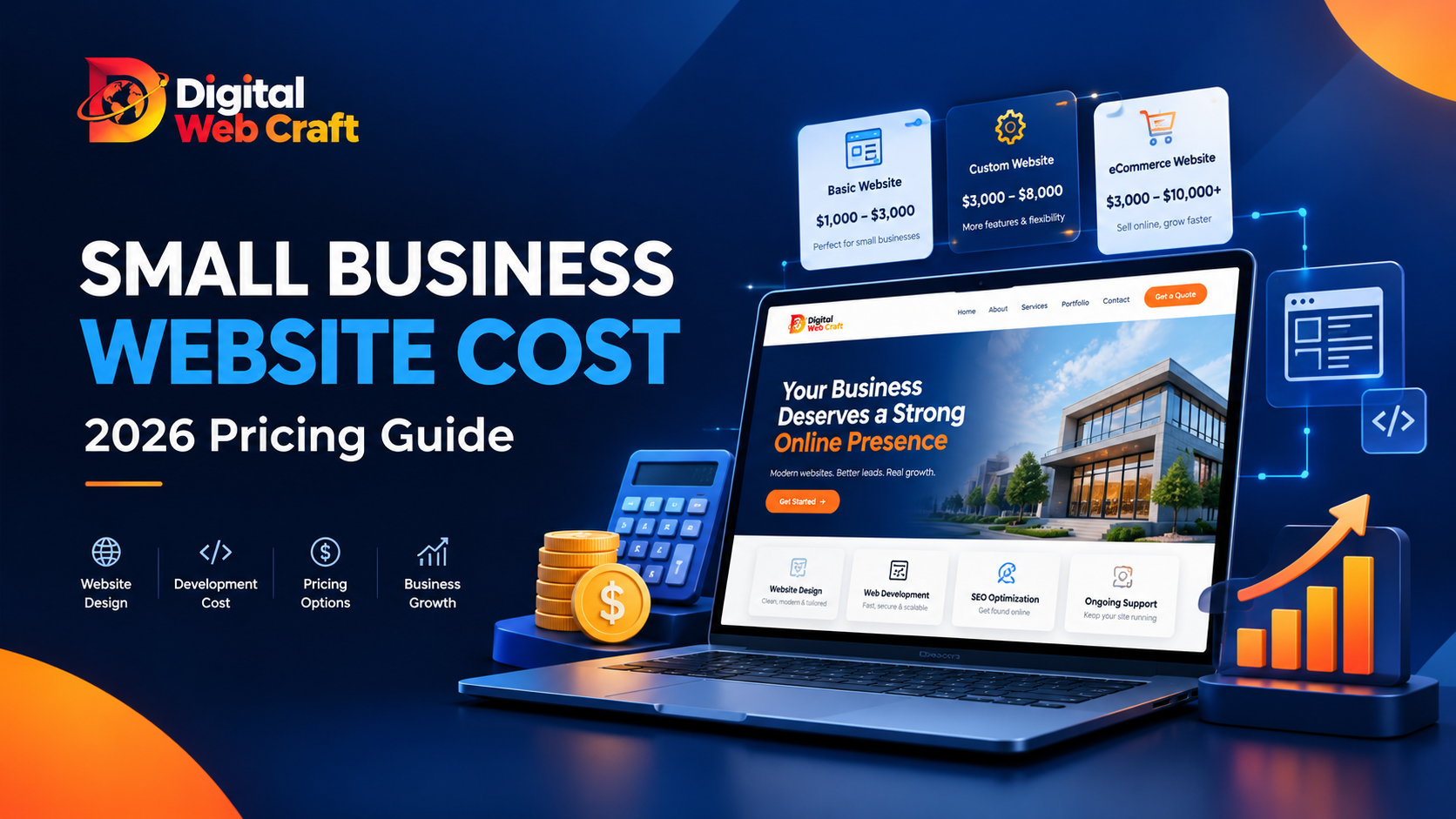
  • How Much Does a Small Business Website Cost in 2026? Complete Pricing Guide

    How Much Does a Small Business Website Cost in 2026? Complete Pricing Guide

    A professional website can help a small business attract new customers, build trust, and generate leads around the clock. But before investing in one, most business owners have the same question: How much does a small business website cost in 2026?

    The answer depends on what you need. A simple five-page website for a local service business has very different requirements from an online store, a booking platform, or a custom website with advanced integrations.

    You might be able to build a basic website yourself for a few hundred dollars in initial expenses. Hiring a professional designer or development agency can cost several thousand dollars, depending on the scope, functionality, and level of customization.

    The important thing is to understand what you’re paying for, which expenses continue after launch, and how to choose a website that supports your business goals without wasting your budget.

    In this guide, we’ll break down small business website pricing in 2026, compare development options, explain ongoing expenses, and show you how to budget for a website that delivers practical business value.

    How Much Does a Small Business Website Cost in 2026?

    For planning purposes, many US small businesses can use the following estimates when budgeting for a website. These are general market-informed ranges, not fixed quotes or guarantees. Actual prices depend on the project requirements, provider, location, and contract terms.

    Website TypeEstimated Initial Cost (USD)Typical Timeline
    DIY website builder$100–$8001–3 weeks
    Basic professional website$1,000–$3,0002–4 weeks
    Custom small business website$3,000–$8,0004–8 weeks
    Lead-generation website$2,500–$7,5003–8 weeks
    Small eCommerce website$3,000–$10,0004–10 weeks
    Advanced custom website$10,000–$25,000+8–16+ weeks

    These estimates represent possible project budgets rather than universal industry averages. Timelines assume reasonably prompt client feedback, available content, and a defined scope. Complex integrations, extensive copywriting, and delayed approvals can extend delivery.

    What Determines Your Website Budget?

    Your final website design cost depends on several factors:

    • Number of pages: A five-page website generally requires less work than a 25-page website.
    • Design complexity: A customized design with unique layouts requires more effort than a standard template.
    • Functionality: Booking systems, payment processing, customer portals, and third-party integrations increase complexity.
    • Content creation: Professional copywriting, photography, video, and graphics may add to the budget.
    • SEO requirements: Keyword research, page optimization, technical SEO, and structured data require additional work.
    • Ongoing support: Maintenance, security updates, backups, and improvements may involve recurring fees.

    A useful starting point is to define what the website must accomplish. A local plumber who needs calls and quote requests has different requirements from a retailer selling hundreds of products online.

    1. DIY Website Cost: $100–$800

    Building your own website can be a reasonable choice when your business is new, your budget is limited, and your website requirements are relatively simple.

    Website builders provide templates, hosting options, and visual editing tools that allow you to create pages without extensive coding knowledge.

    What Does a DIY Website Include?

    Depending on your chosen platform and subscription, your expenses may include:

    • Domain registration: approximately $10–$30 per year for many standard domains.
    • Website builder subscription: approximately $10–$50 per month.
    • Premium template or design assets: $0–$200 or more.
    • Basic business email: free or paid, depending on the provider.
    • Optional apps and integrations: additional monthly or annual fees.

    Promotional pricing, renewal rates, premium domains, taxes, and plan limitations can change these costs.

    Advantages of Building It Yourself

    • Lower upfront financial investment.
    • Direct control over content and basic updates.
    • Relatively quick setup for simple websites.
    • No need to hire a developer for every small change.

    What Are the Limitations?

    The financial cost may be low, but your time is not free.

    You will need to handle layout decisions, mobile responsiveness, content, image optimization, page titles, contact forms, and testing. You may also need to troubleshoot problems when integrations or design elements don’t work as expected.

    A DIY website can be sufficient for a simple online presence. However, if your business depends on a steady flow of qualified leads, investing in professional strategy and implementation may be worthwhile.

    2. Basic Professional Website Cost: $1,000–$3,000

    A basic professional website is suitable for many small businesses that need a credible online presence without advanced functionality.

    Examples include consultants, independent professionals, local contractors, small agencies, and service providers.

    What Should Be Included?

    A typical project in this range might include:

    • Four to seven core pages.
    • A homepage designed around the target customer.
    • About and services pages.
    • Contact information and a working inquiry form.
    • Responsive layouts for mobile devices, tablets, and desktops.
    • Basic on-page SEO setup.
    • Social media links and relevant calls to action.
    • Basic performance and functionality testing.

    The exact deliverables vary by provider. Confirm whether copywriting, image licensing, hosting setup, revisions, and post-launch support are included.

    Is This Enough for a Small Business?

    It can be, provided the website is built around a clear objective.

    For example, a residential cleaning company may need a homepage, services page, service-area information, testimonials, and a quote request form. A complex animation or custom customer portal may be unnecessary.

    Prioritize the features that help visitors understand your services, trust your business, and contact you.

    3. Custom Website Development Cost: $3,000–$8,000

    A custom website is a stronger option when your business needs a more distinctive design, detailed service pages, a carefully planned conversion journey, or functionality beyond a basic template.

    This price range can accommodate a variety of professional projects, although extensive custom development may cost considerably more.

    What Makes a Website Custom?

    A custom project may include:

    • Brand-specific layouts and visual components.
    • Detailed page structure and navigation.
    • Conversion-focused service pages.
    • Custom forms and conditional fields.
    • Integration with a CRM or email marketing platform.
    • More extensive technical SEO implementation.
    • Accessibility and cross-browser testing.
    • Analytics and conversion tracking configuration.

    For example, a marketing consultancy may need dedicated pages for each service, industry-specific case studies, lead qualification forms, and an integration that sends inquiries directly to its CRM.

    Those requirements involve more planning and testing than simply publishing a homepage and contact page.

    Why Does Custom Development Cost More?

    The development team must understand your business, map the user journey, design the interface, implement the functionality, test the results, and refine the experience.

    More customization generally means more design and development hours. However, a higher price alone does not guarantee better performance or more leads.

    Before approving a proposal, ask for a clear list of deliverables, milestones, revisions, and acceptance criteria.

    4. Lead-Generation Website Cost: $2,500–$7,500

    For many service businesses, a website’s primary purpose is not simply to display information. It is to encourage potential customers to call, request a quote, schedule a consultation, or submit an inquiry.

    A lead-generation website is designed around those actions.

    What Features Help Generate Leads?

    Depending on your business, useful features may include:

    • A clear headline explaining what you do and who you help.
    • Prominent quote request or consultation buttons.
    • Dedicated service pages targeting specific customer needs.
    • Trust signals, including genuine reviews, testimonials, and relevant credentials.
    • Project examples or case studies.
    • Short, user-friendly contact forms.
    • Service-area information for local businesses.
    • Analytics to measure form submissions and calls.

    A quote form should ask for enough information to qualify a lead without creating unnecessary friction.

    For instance, a web design company might request a name, business email, website URL, service needed, and approximate budget. Additional questions can be introduced when they genuinely help qualify the project.

    Can a Website Guarantee More Leads?

    No. A well-planned website can make it easier for visitors to contact your business, but actual results also depend on search visibility, competition, pricing, trust, traffic quality, and the services you offer.

    A new website may need time to gain organic visibility. Businesses may also need content marketing, local SEO, referrals, or paid advertising to attract qualified visitors.

    The goal is to build a website that supports measurable business outcomes, not simply one that looks attractive.

    If lead generation is your priority, explore Digital Web Craft’s packages or request a free quote to discuss a website aligned with your business goals.

    5. eCommerce Website Cost: $3,000–$10,000+

    Selling products online involves additional technical and operational requirements. The final website development cost depends on your product catalog, checkout experience, shipping rules, payment integrations, and inventory management needs.

    A small online store with a limited product range is very different from a complex store with custom integrations.

    Common eCommerce Expenses

    A typical budget may need to account for:

    • Product and category page design.
    • Shopping cart and checkout configuration.
    • Payment gateway setup.
    • Shipping and tax configuration.
    • Product images and descriptions.
    • Inventory management.
    • Order confirmation emails.
    • Security and checkout testing.
    • Analytics and sales tracking.

    Additional costs may include platform subscriptions, paid apps, payment processing fees, premium themes, and product data migration.

    Shopify and WooCommerce can both support small business stores, but the right choice depends on your technical requirements, preferred workflow, and ongoing operating costs.

    For a straightforward store, an established platform may reduce the need for custom development. Advanced integrations, subscriptions, marketplaces, or unusual checkout requirements can push the project beyond the ranges listed above.

    6. What Ongoing Website Costs Should You Budget For?

    The initial build is only one part of the total cost of ownership. Most websites have recurring expenses that keep them accessible, secure, and functional.

    Here are common planning ranges for US small businesses.

    ExpenseEstimated CostFrequency
    Domain registration$10–$30Per year
    Basic hosting$5–$40Per month
    Managed or higher-performance hosting$30–$150+Per month
    Premium plugins or apps$0–$100+Per month
    Business email$0–$15+ per userPer month
    Website maintenance$50–$300+Per month
    SEO services$300–$1,500+Per month
    Website copywriting$100–$500+ per pagePer project or page

    These are indicative budgeting ranges, not universal rates. Costs vary with the provider, platform, website size, service level, and number of users or licenses. SEO retainers and specialist copywriting projects can exceed these ranges.

    Hosting and Domain Registration

    Your domain is the address customers use to find your website. Hosting stores and serves your website files.

    Some website builders bundle hosting into their subscription. Self-hosted platforms may require you to purchase hosting separately.

    Check renewal rates, storage limits, backups, uptime commitments, and support availability before choosing a plan.

    Website Maintenance

    Maintenance may include software updates, security monitoring, backups, broken-link checks, form testing, and small content changes.

    A simple website with few changes may require minimal ongoing support. A store or business-critical website may need more frequent monitoring and a more comprehensive maintenance plan.

    SEO and Content

    Technical SEO, useful service pages, original articles, and local search optimization can help your website become more discoverable.

    However, SEO is not a one-time guarantee of traffic. Competitive markets may require sustained investment in content, site improvements, and authority building.

    You can start with a focused set of pages and expand as you learn which services and search queries attract qualified visitors.

    7. WordPress vs. Website Builders vs. Custom Development

    Choosing the right platform can affect both initial pricing and long-term flexibility.

    OptionInitial BudgetBest ForMain Consideration
    Website builder$100–$800 for a simple DIY launchBeginners and basic websitesSubscription costs and platform limitations
    WordPress$1,000–$8,000 for many professional small business projectsService businesses, content sites, and flexible websitesRequires appropriate hosting, updates, and maintenance
    Shopify$1,500–$10,000+ for many small-store projectsBusinesses selling products onlineSubscription, app, and transaction-related costs
    Fully custom development$10,000–$25,000+Specialized workflows and complex functionalityHigher development and maintenance investment

    These are broad planning estimates. DIY and professionally developed websites are not directly equivalent, and platform-specific fees are separate from many development quotes.

    When Should You Choose WordPress?

    WordPress is worth considering when you need flexible page layouts, service pages, blogging, integrations, and control over your content. It can be particularly useful for businesses that plan to expand their website over time.

    The actual cost depends on the theme, plugins, hosting, design requirements, and development work.

    When Is Shopify a Better Fit?

    Shopify may be a good fit when your core business involves selling products online and you want an integrated eCommerce management experience.

    Consider your product catalog, shipping requirements, payment processing, apps, and ongoing subscription expenses before deciding.

    When Is Custom Development Necessary?

    Custom development becomes more attractive when standard platforms cannot reasonably support your essential workflows, data requirements, or integrations.

    Before choosing it, confirm that the additional functionality provides enough practical value to justify the higher cost.

    8. How to Reduce Website Design Costs Without Sacrificing Quality

    You don’t need to purchase every possible feature at launch. A focused website can provide a solid foundation while leaving room for future improvements.

    Start With Essential Pages

    Identify the pages visitors need to understand your business and take action.

    For many small businesses, this means:

    1. Home
    2. About
    3. Services or Products
    4. Portfolio, Reviews, or Case Studies
    5. Contact

    Add landing pages, resources, and additional service pages when they support clear business goals.

    Prepare Your Content Before Development

    Gather your logo, brand assets, service descriptions, business details, testimonials, and contact information before development begins.

    Late content delivery can delay launch and create additional costs if the agreed scope changes.

    Avoid Unnecessary Features

    Ask whether every feature supports a specific goal.

    A complicated animation, elaborate chatbot, or custom dashboard may not be necessary for a business that primarily needs calls and quote requests.

    Launch with the essentials, measure performance, and invest in improvements based on evidence.

    Request Itemized Proposals

    Ask each provider to specify:

    • Number of pages and templates.
    • Design and development deliverables.
    • Content and SEO responsibilities.
    • Third-party software and license fees.
    • Revision limits.
    • Delivery milestones.
    • Payment terms.
    • Post-launch support and ownership arrangements.

    Comparing proposals with the same requirements makes it easier to identify genuine value rather than choosing solely on price.

    9. How Long Does It Take to Build a Small Business Website?

    The timeline depends on complexity, content readiness, feedback, and the number of people involved.

    Project TypeTypical Timeline
    DIY website1–3 weeks
    Basic professional website2–4 weeks
    Custom business website4–8 weeks
    Small eCommerce store4–10 weeks
    Advanced custom platform8–16+ weeks

    These are planning estimates rather than delivery guarantees.

    A project can take longer when it involves custom functionality, content migration, extensive revisions, third-party approvals, or complex integrations.

    To keep development on track, appoint one person to approve designs, provide content early, and agree on a clear scope before work begins.

    10. How to Choose the Right Website Budget for Your Business

    The best budget is one that supports your current needs without creating unnecessary financial pressure.

    Use these questions to establish your priorities:

    What is the main purpose of the website?

    Decide whether you want to generate leads, sell products, showcase a portfolio, publish information, or support existing customers.

    How much functionality do you actually need?

    List essential features separately from optional improvements. This helps prevent scope creep.

    Who will maintain the website?

    Consider whether your team can manage updates or whether you need ongoing professional support.

    What is your total first-year budget?

    Include development, domain registration, hosting, software, content, maintenance, and any planned marketing expenses.

    How will you measure success?

    Track meaningful outcomes such as qualified inquiries, completed forms, phone calls, purchases, and conversion rates. Website traffic alone does not tell you whether the investment is producing business value.

    A Practical Budgeting Example

    Suppose a local service business plans to spend $3,500 on a professional website.

    Its first-year budget might look like this:

    ItemExample Budget
    Website design and development$3,500
    Domain and hosting$200
    Software and essential licenses$150
    Maintenance$600
    Estimated first-year total$4,450

    This example assumes $50 per month for maintenance and $350 combined for annual domain, hosting, and software expenses. Actual costs may be lower or higher, and the maintenance scope should be confirmed.

    Marketing, extensive copywriting, paid advertising, and major future enhancements are not included.

    The lesson is simple: compare the full first-year cost, not just the initial development quote.

    11. Get a Website Quote Based on Your Business Goals

    A website should do more than give your business an online address. It should make your services easy to understand, help visitors trust your business, and give potential customers a clear next step.

    Digital Web Craft can help you evaluate the requirements for a new website or an existing website that needs improvement.

    Before requesting a quote, consider preparing:

    • Your business type and target audience.
    • Examples of websites you like.
    • Your essential pages and features.
    • Your preferred platform, if you have one.
    • Your approximate budget and desired launch date.

    You don’t need to have every technical detail figured out. A clear conversation about your business goals is a useful starting point.

    Ready to plan your website? Explore the Digital Web Craft packages to review your options, or contact Digital Web Craft to request a free quote.

    Share what you need, and use the discussion to clarify the project scope, likely costs, and next steps before committing to development.

    Frequently Asked Questions

    1. How much does a small business website cost in 2026?

    A simple DIY website may cost approximately $100–$800 initially, while many professionally developed small business websites fall between $1,000 and $8,000. eCommerce and advanced custom websites may cost $10,000 or more. Your final price depends on design complexity, functionality, content, integrations, and ongoing support.

    2. What is the cheapest way to build a business website?

    Using a DIY website builder with a free or low-cost template is often the least expensive approach. You may still need to pay for a domain, subscription, business email, premium features, or other services. The main trade-off is the time required to build, optimize, and maintain the website yourself.

    3. How much does it cost to maintain a small business website?

    Basic maintenance may cost around $50–$300 or more per month when outsourced. Hosting, domains, premium software, and specialized support can add to the total. Some businesses handle routine updates internally, while stores and business-critical websites may require more comprehensive maintenance.

    4. How long does it take to build a small business website?

    A basic professional website may take two to four weeks, while a more customized project may require four to eight weeks. Small eCommerce projects often take four to ten weeks. These estimates depend on project scope, content readiness, integrations, testing, and how quickly decisions and approvals are provided.

    5. Is a professional website worth the cost for a small business?

    A professional website can help a business communicate its value, establish credibility, attract relevant visitors, and generate inquiries or sales. Results depend on the quality of the website, the offer, competition, search visibility, and marketing. Define measurable goals and evaluate the results rather than assuming that a website will automatically generate customers.


    Final Thoughts

    The small business website cost in 2026 depends on what you want your website to accomplish and how much customization your business requires.

    A DIY builder may be sufficient for a basic online presence. A professionally designed website can be a better fit for businesses that need stronger branding, clearer service pages, and lead-generation features. eCommerce stores and specialized platforms typically require larger budgets.

    Before choosing a provider, define your goals, compare itemized proposals, account for recurring expenses, and prioritize features that solve real customer problems.

    Start with a clear plan, invest in what matters, and build a website that can grow with your business.

    Explore Digital Web Craft’s packages or request a free quote to discuss the right website solution for your business.